
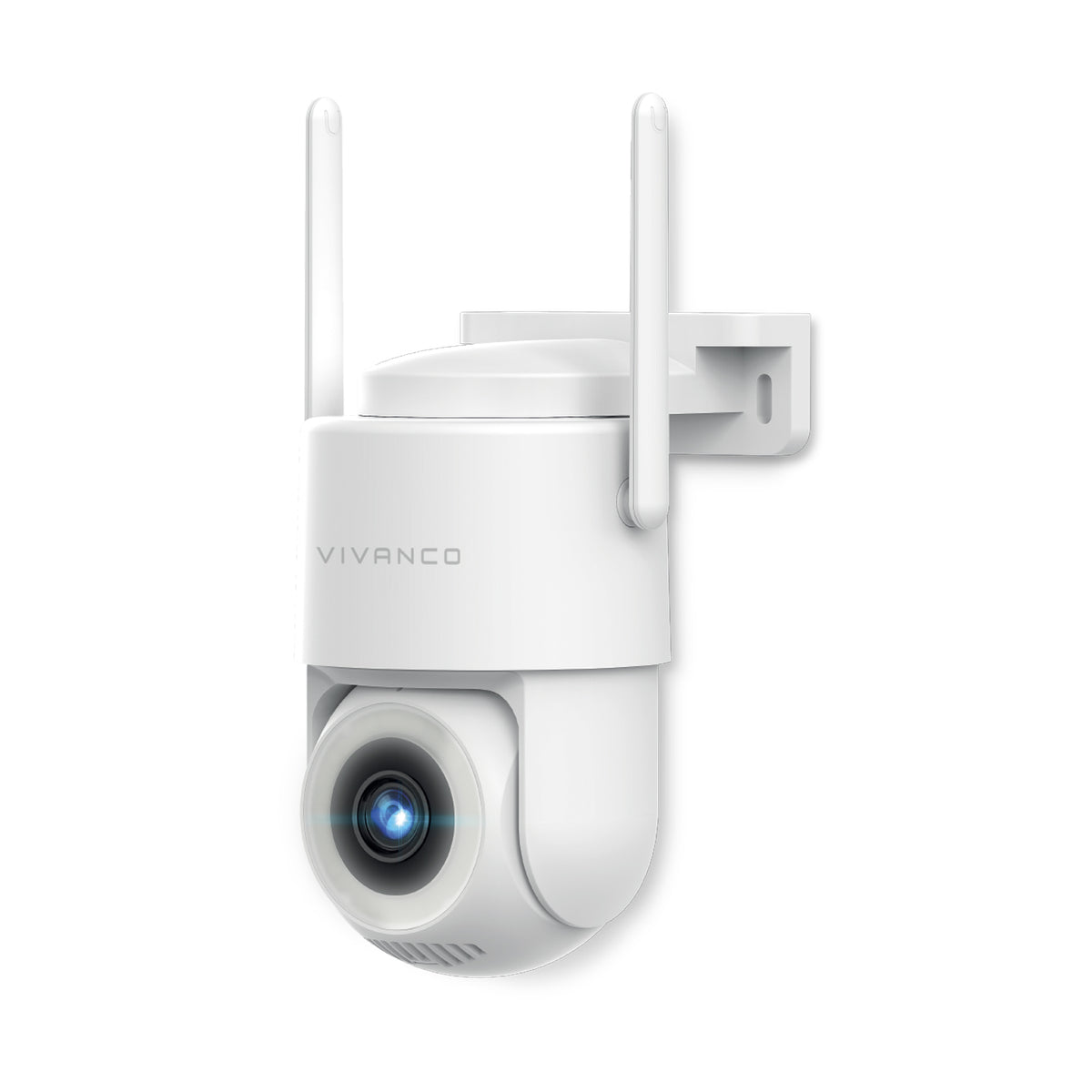
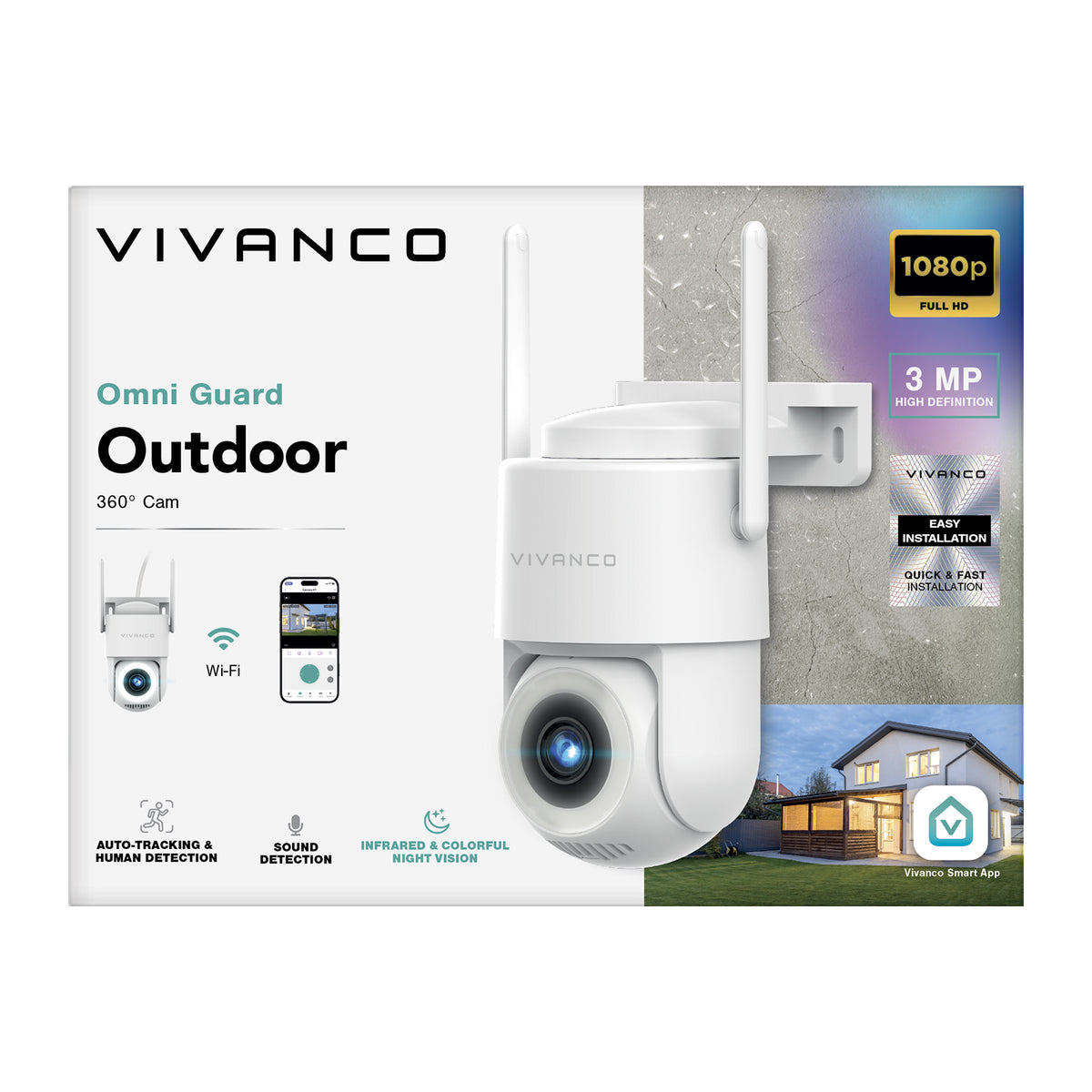
Motorised outdoor security camera with 360° auto-tracking
On each product page, the lowest non-discounted list price applied in the 30 days prior to the start of the promotion is indicated.
Free shipping
on orders over €19.90
Order now
Delivery in 1–2 business days (excluding islands)
- Colour and infrared night vision
- Auto-tracking with motion and person detection
- 2.4 GHz and 5 GHz Wi-Fi or wired Ethernet connection
- High-definition 3MP video
- IP64-certified protection
- Motorised horizontal movement up to 300°
- Vertical movement up to 190°
- Local recording on microSD card
- Continuous cable power supply
- Real-time notifications via app
- Continuous recording
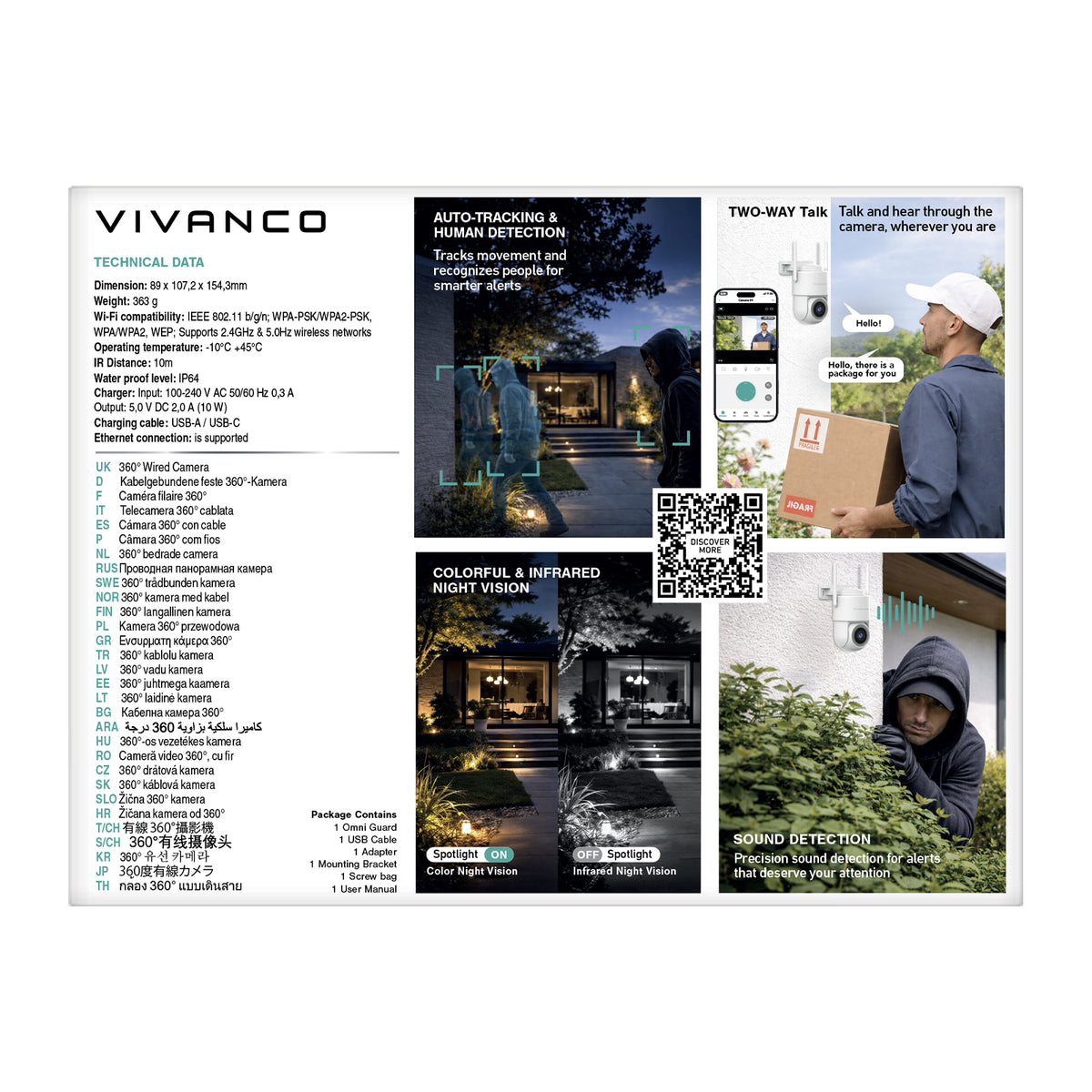
- Dimensions: 89 x 107.2 x 154.3 mm
AUTOMATIC TRACKING TO FOLLOW MOVEMENT OUTDOORS
The Omni Guard outdoor security camera monitors outdoor areas and automatically follows detected subjects thanks to its auto-tracking function. The system detects movement, adjusts the camera view to follow the subject and sends real-time notifications to your smartphone via the Vivanco Smart app. Simply connect the camera to a power source, connect it to Wi-Fi and add it to your Vivanco Smart app to stay updated at all times. It is a practical solution for monitoring entrances, courtyards, gardens and other outdoor areas, even when you are away from home. Continuous 24/7 recording provides maximum protection for your outdoor spaces. When the dedicated function is enabled, the camera can specifically detect people and human movement, sending more accurate notifications to your smartphone.
WIDE COVERAGE AND TWO-WAY AUDIO FOR GREATER CONTROL
Motorised horizontal movement of up to 300° and vertical movement of up to 190° extend the monitored area, allowing the camera to cover a wider space with its moving field of view. Sound detection provides additional specific alerts, while two-way audio lets you listen and speak through the camera for an extra level of control.
SUITABLE FOR DIFFERENT WEATHER CONDITIONS
The IP64 rating provides protection against dust and water splashes, making this security camera particularly suitable for outdoor environments. Its specified operating temperature range of -10 °C to +45 °C also makes it suitable for use across different seasons and climates.
CLEAR HIGH-DEFINITION IMAGES, EVEN AT NIGHT
The camera provides high-definition 3MP video. At night, you can use colour night vision with two integrated spotlights that illuminate the outdoor area, or infrared night vision up to 10 metres. Night vision mode can be selected manually or set to automatic through the app, allowing the camera view to adapt to changing light conditions throughout the day.
SAVE YOUR RECORDINGS
The microSD card slot allows recordings to be stored locally, either as an alternative or in addition to the optional storage subscriptions available through Vivanco Smart. Both Wi-Fi networks and wired Ethernet connections are supported for greater connection stability.
WHAT SETS IT APART
- Colour and infrared night vision
- Auto-tracking with motion and person detection
- 2.4 GHz and 5 GHz Wi-Fi or wired Ethernet connection
- High-definition 3MP video
- IP64-certified protection
- Motorised horizontal movement up to 300°
- Vertical movement up to 190°
- Local recording on microSD card
- Continuous cable power supply
- Real-time notifications via app
- Continuous recording
- Dimensions: 89 x 107.2 x 154.3 mm
WHAT'S IN THE BOX
- 1 Omni Guard
- 1 USB-A to USB-C cable
- 1 power adapter
- 1 mounting bracket
- 1 eject pin
- 1 waterproof cable cover
- 1 bag of screws
- 1 user manual


| Dimensions | 89 x 107,2 x 154,3 mm |
| Finishing Feature | IP64 |
| Included Accessories | 1 USB power cable, 1 Card removal needle, Stand, 1 Adapter |
| Other Features | Micro SD card slot, Built-in microphone |
| Weight | 0,5 g |
| EAN: | 8018417543005 |
| Height Master | 310 mm |
| Height Inner | 270 mm |
| Height Pack | 130 mm |
| Amount Master | 16 Pz |
| Amount Inner | 4 Pz |
| Weight Master | 10420 g |
| Weight Inner | 2375 g |
| Weight Pack | 540 g |
| Width Master | 420 mm |
| Width Inner | 200 mm |
| Width Pack | 110 mm |
| Depth Master | 470 mm |
| Depth Inner | 220 mm |
| Depth Pack | 190 mm |
Choose options
FAQ
There is no maximum limit to the number of smart devices you can connect to the VIVANCO SMART app.
- Download the VIVANCO SMART app to your smartphone from the Apple App Store (iOS) or Google Play Store (Android).
- Create a Vivanco account using your email address and log in.
- Enable Bluetooth on your smartphone.
- Tap the “+” icon in the top-right corner of the home screen and select “Add Device”.
- Wait for the app to automatically detect your device, then tap “Add”.
- Select your Wi-Fi network and enter the password.
- Wait for the device to complete the connection process.
- Download the VIVANCO SMART app to your smartphone from the Apple App Store (iOS) or Google Play Store (Android).
- Create a Vivanco account using your email address and log in.
- Tap the “+” icon in the top-right corner of the home screen and select “Add Device”.
- Select “Camera & Lock”.
- Choose your device.
- Select your Wi-Fi network and enter the password.
- Read the instructions, then tap “Continue”.
- Use the camera to scan the QR code displayed on your smartphone screen. Once you hear a beep, tap “Heard a Beep”.
- When the device's indicator light changes from flashing red to solid green, the network setup is complete.
- Log in to your VIVANCO SMART account.
- Tap the name of the security camera you want to remove.
- Tap the three dots in the top-right corner and select “Remove Device”.
- To complete the removal process, reset the camera by pressing and holding the reset button on the device.
- Log in to your VIVANCO SMART account.
- Tap the connected camera to open the live view.
- Tap the three dots in the top-right corner.
- Scroll down to “Device Network”.
- From this section, you can add a new Wi-Fi network and replace the existing connection.
- Log in to your VIVANCO SMART account.
- Tap the name of the camera you want to share.
- Tap the three dots in the top-right corner and select “Share Device”.
- You can share access to your security camera in two ways:
a. Via a VIVANCO SMART account: Enter the recipient's email address to share the device directly with their account.
b. Via a sharing link: Copy the sharing link and send it via message.
You can store your security camera recordings in two ways:
- Local storage: Save video recordings directly to an SD memory card.
- Cloud storage: Enable the cloud storage service with a monthly or annual subscription. Depending on your plan, recordings can be stored in the cloud for 14 or 30 days.
Vivanco security cameras support SD memory cards formatted with FAT32 or exFAT file systems, with a maximum storage capacity of 128 GB.
Different Vivanco camera models use different video compression technologies:
- H.264 (AVC): Vision One indoor camera, Edge Guard and Omni Guard outdoor cameras.
- H.265 (HEVC): View Sphere and Prime Sphere indoor cameras, Solar Sentinel, Solar View and Solar Link outdoor cameras.
The storage duration depends on the video resolution (3 MP or 4 MP), recording mode (continuous recording or motion-activated recording) and video compression technology (H.264 or H.265).
The table below shows the approximate recording retention time for each Vivanco security camera model:
- Vision One, View Sphere, Edge Guard and Omni Guard: Security cameras with 3 MP resolution, continuous video recording and H.264 video compression. Storage duration: 3–4 days.
- Prime Sphere: Security camera with 3 MP resolution, continuous video recording and H.265 video compression. Storage duration: 6–8 days.
- Solar Sentinel, Solar View and Solar Link: Security cameras with 4 MP resolution, motion-activated recording and H.265 video compression. Storage duration: 15–30 days.
When the SD card or cloud storage reaches its maximum capacity, the oldest recordings are automatically overwritten, starting with the earliest saved file.
The recording mode depends on the camera model, whether you use an SD memory card or cloud storage.
- Solar-powered security cameras: These low-power cameras only record when motion is detected.
- Continuously powered security cameras: These models support uninterrupted video recording. According to the device settings, continuous recording can be stopped by disabling the motion detection function.
The following Vivanco security camera models operate with a continuous power supply:
- Indoor security cameras: Vision One, View Sphere and Prime Sphere.
- Outdoor security cameras: Edge Guard and Omni Guard.
Solar Sentinel, Solar View and Solar Link are solar-powered security cameras designed for low energy consumption.
- Press and hold the camera's reset button for 5–7 seconds using a pen or the supplied reset pin.
- If you want to connect a camera that is already paired with another account to a new user, the previous owner must first remove and unpair the device from their VIVANCO SMART app.
The maximum distance between your Wi-Fi router and your Vivanco security camera depends on the camera type and surrounding conditions:
- Indoor security cameras: Up to 400 metres between the router and the camera under ideal, obstacle-free conditions.
- Outdoor security cameras: Up to 500 metres between the router and the camera under ideal, obstacle-free conditions.
Walls, building materials, objects and signal interference may reduce the actual Wi-Fi range.
If your Vivanco security camera is not displaying live footage or transmitting video, try the following troubleshooting steps:
- Check that the internet connection between your smartphone and router is stable.
- Reduce network traffic and make sure your router is properly connected to the internet.
- Check that there are no walls or objects interfering with the signal between the router and the camera.
- Review your network settings and remove any active restrictions that may affect the device's connection.
Yes. If Wi-Fi is unavailable, you can use Vivanco security cameras equipped with an Ethernet (LAN) port and connect them to your router using a network cable. The following models support a wired network connection:
- Omni Guard (VNOUTCAM360)
- Edge Guard (VNOUTCAMFIX)
A wired LAN network connection is still required.